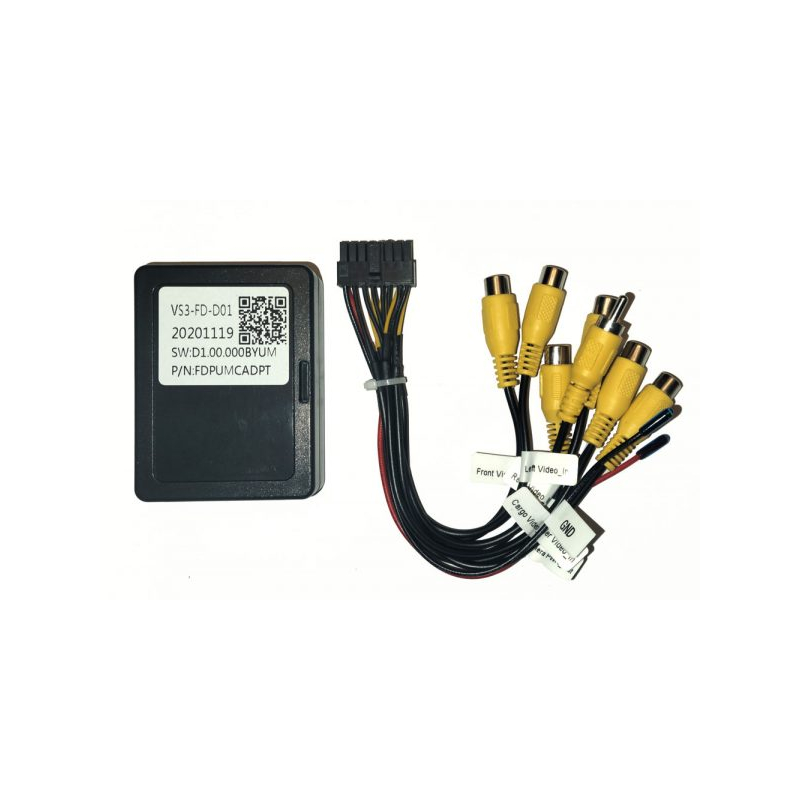
Linkswell FDPUMCADPT F-Series Multi Cam Adapter

We are a LINKSWELL authorized dealer so you get up-to-date, fully warrantied products. Shipping is free to the lower 48 states on everything you order!
What's Inside?
- • (1) F-Series Multi Cam Adapter
- • Owner's Manual
Why Choose LinksWell FDPUMCADPT OEM Feature Retention Interface?
Total Multi-Camera Control for Your Ford Truck
Have full control of your 360-degree view through the use of the LinksWell FDPUMCADPT Multi-Camera Retention Interface, designed especially for Ford F-Series and Super Duty truck models with Gen 4 or Gen 5 T-Style radios. You get up to 7 camera views – front, cargo, trailer, and side – all displayed through your monitor without the need for programming. With automatic CanBus triggers to trigger side camera views during turn signals and rear camera views when backing, you can safely tow and park even your heaviest loads.
Frequently Asked Questions (FAQ)
- • Why isn't my factory backup camera working after installing a new head unit?
Check that the interface is connected correctly and verify the camera harness and reverse trigger wire are properly installed.
- • Why did my steering wheel controls stop working?
Confirm the interface is wired correctly and that the aftermarket receiver supports steering wheel control programming.
- • Why doesn't the side camera switch on automatically with my turn signals?
Ensure CanBus trigger detection is enabled in your head unit settings and that the interface harness is securely plugged in. If CanBus data isn't reading correctly, side camera auto-switching will not trigger.
- • Why is there a black screen when I shift into reverse?
Inspect the reverse trigger wire and camera video connection. Incorrect wiring is the most common cause.
- • How do I manually switch between front, cargo, and trailer views?
Open the camera app on your touchscreen display. The interface generates dedicated on-screen icons that let you tap directly to view front, cargo, or trailer feeds at any time.
- • Can I use this interface if my Ford truck has a factory 360-degree camera system?
No. This module is designed for adding and managing discrete auxiliary camera inputs. If your truck features a factory touchscreen-controlled 360 system, you need a dedicated 360-camera retention harness instead.
- • Why aren't my factory parking sensors showing on the display?
Verify that both the interface and receiver support parking sensor retention and that the feature is enabled.
- • Why is my factory camera image flickering?
Loose video connections, poor grounding, or damaged wiring can cause an unstable camera signal.
- • Can I monitor cargo or trailer camera feeds while driving on the highway?
Yes. Manual camera feeds (such as front, cargo, and trailer views) can be activated on demand at any speed using the on-screen display icons.
- • Why are camera control icons missing from my main touchscreen?
If camera icons disappear, the head unit has lost communication with the module. Firmly re-seat all multi-pin harness connections and perform a soft restart on your radio to re-establish CanBus detection.
The FDPUCMADPT interface will allow connection of up to 6 cameras including:
• Factory or Aftermarket Tailgate Camera
• Cargo Camera
• Left Side Camera
• Right Side Camera
• Front Camera
• Trailer Camera
All camera controls appear as icons on the new T-Style Screen and the module will trigger left, right and rear cameras automatically with turn signals & reverse, while allowing manual switching of front, cargo and trailer cameras.
Works on all Linkswell Ford Gen 4 T-Style radios for F-series.
- UPC: 782706332929
- Weight: 2
- Authorized Internet Dealer
Warranty: 2 Year(s) Warranty.
This item is accompanied by a manufacturer's warranty. If it is found to be defective, it may be returned to OnlineCarstereo.com for replacement within 2 Year(s) from the original date of purchase with proper return authorization.